Install Keepup
Keepup works best from your Home Screen: full screen, with reminders.
iPhone and iPad
- Open Keepup in Safari.
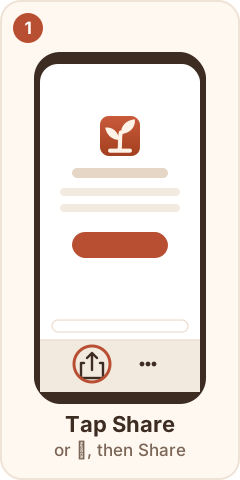
- Tap Share (or ⋯, then Share).
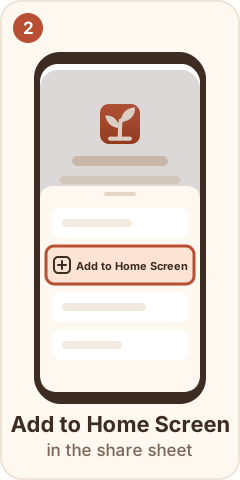
- Tap Add to Home Screen.
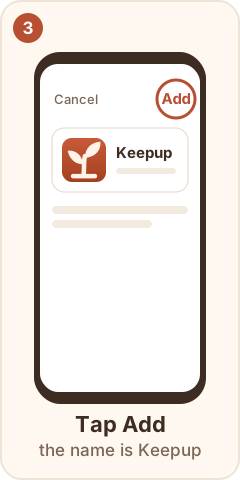
- Check the name is Keepup, then tap Add.
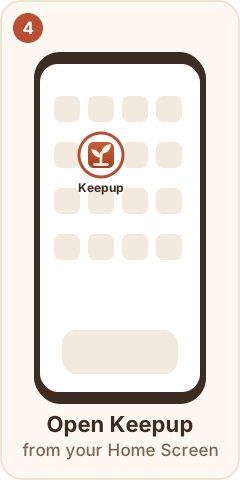
- Open Keepup from the new icon and sign in.
- Profile → Settings → Turn on reminders.
- Had the old icon? Press and hold it and remove it.
Android
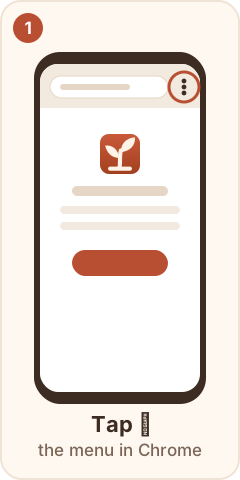
- Open Keepup in Chrome.
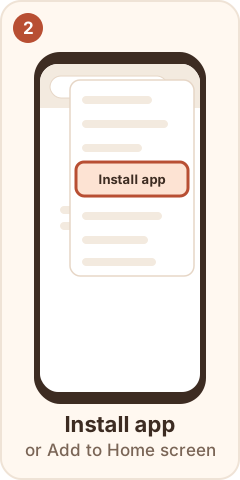
- Tap ⋮, then Install app (or Add to Home screen).
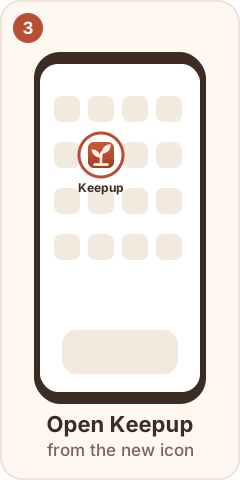
- Open Keepup from the new icon, then turn reminders on in Profile → Settings.
Computer
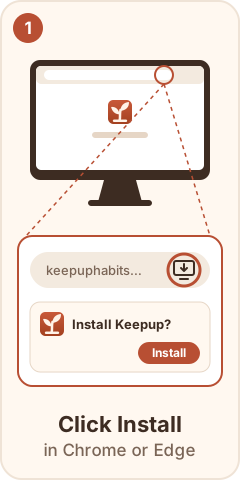
- In Chrome or Edge, click the install icon at the right of the address bar, then Install.
- Then turn reminders on in Profile → Settings.
Reinstalled? Reminders don't move with the app. Turn them on again: Profile → Settings → Turn on reminders.